

AI shopping visibility tracking for retailers
When shoppers ask ChatGPT, Perplexity or Gemini for what you sell, Sighted shows you whether your product was recommended, whether your store was named and linked, and what visits and sales followed. Where a product is left out, Sighted finds the gap in its product information, enriches it, publishes the change and asks the assistants again.
Is your product recommended, and does your store get the link?
Sighted is one workflow built around that question. It analyses visibility product by product, identifies the gaps in your catalogue, enriches product information, optimises feeds for AI agents and Google Shopping, publishes to Shopify and supported channels, and measures the visibility, traffic and sales that follow.
Take an independent cookshop that stocks a Le Creuset cast iron casserole. Sighted asks the assistants two kinds of question about it. One names the product: “Where can I buy a Le Creuset cast iron casserole in the UK?” The other describes the need and names no product, brand or shop: “Which casserole dish works on an induction hob and can go in the oven?”
Suppose the first answer recommends the casserole, names a department store and links the maker's site, and the second lists three other dishes. Sighted records what each answer did for the cookshop, fact by fact.
| What Sighted records | What it tells you | In the casserole example |
|---|---|---|
| Whether the answer identified the product | The answer named the item you sell at your store, or linked its page | Not identified in either answer: the first names the casserole, but not at the cookshop |
| Whether it recommended the product | Your store, or your product there, was put forward in so many words; a listing or a link alone is not counted | Not recorded: the recommendation points to another shop |
| Whether it named your store | The shopper was told they can buy it from you | A department store is named; the cookshop is not |
| Whether it linked your site, or the exact product page | Where a shopper who clicks will land | The only link goes to the maker's own site |
| Which other brands and retailers were named | Who else the shopper was shown for the same question | One department store, and three other brands of casserole |
Read the rows separately. In the first answer the casserole is recommended, which helps its maker, and the shopper is sent elsewhere to buy it. A count of product mentions would record that answer as a success. Sighted records the casserole as named but not at the cookshop, beside the department store that was named, which shows the cookshop who received the customer.
Which questions should you track, and how do you read an answer?
The questions are yours to choose. Sighted suggests a set from your catalogue, and you edit the wording, add your own, remove what does not fit and approve the rest. Once a set is approved, the same questions are asked at every check, so one result can be compared with the next.
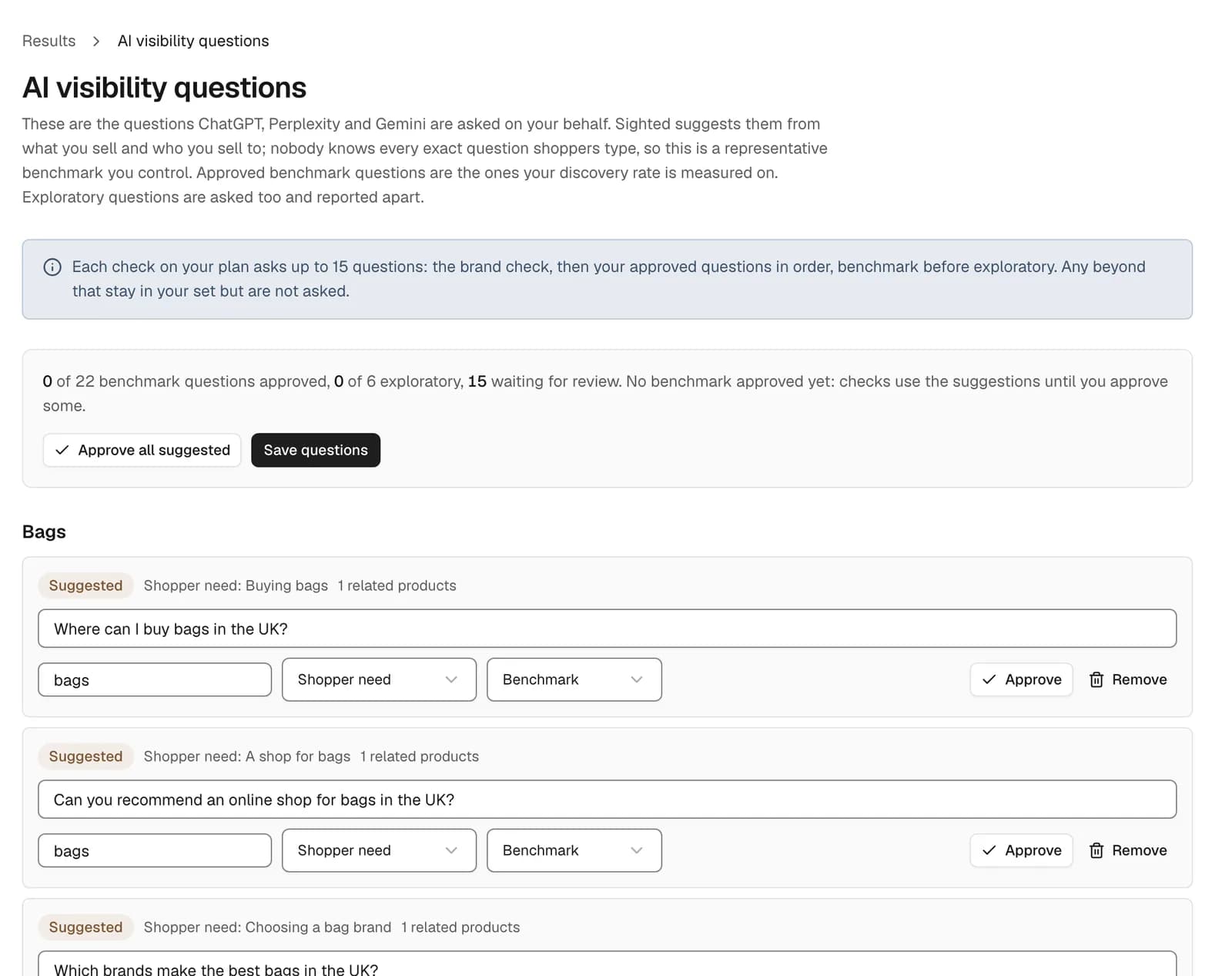
Draw your own questions from what customers already ask: enquiries, on-site searches and search-query data. Track both kinds for each product that matters to your sales.
| Kind of question | Example | What it tests |
|---|---|---|
| Named product | “Where can I buy a Le Creuset cast iron casserole in the UK?” | Whether your store is named and linked when the shopper already knows what they want |
| Shopper need | “Which casserole dish works on an induction hob and can go in the oven?” | Whether your product is considered before the shopper has chosen a brand |
How to read an answer
- Find the product. Check it is the exact item you sell: the same model, size and colour.
- Look for a recommendation, and whose it is. An answer that only lists the product, or links it, has not recommended it, and one that recommends it at another shop has not recommended you.
- Note every retailer named, and whether yours is among them.
- Open each link. Record whether it lands on your product page, another page of your site or another stockist.
- Write down the other brands and retailers in the answer, then ask the same question in the same words next time.
You can do this by hand for a few products today, and the guide to checking AI visibility walks through it. Sighted records the same facts for every question in your set and every product you check.
How do you track one product before and after a change?
A store-wide figure can hide which products moved. Sighted checks products one at a time as well as across the store. A product check asks questions that name the product and questions that describe the need, and saves them so the same ones are asked later.
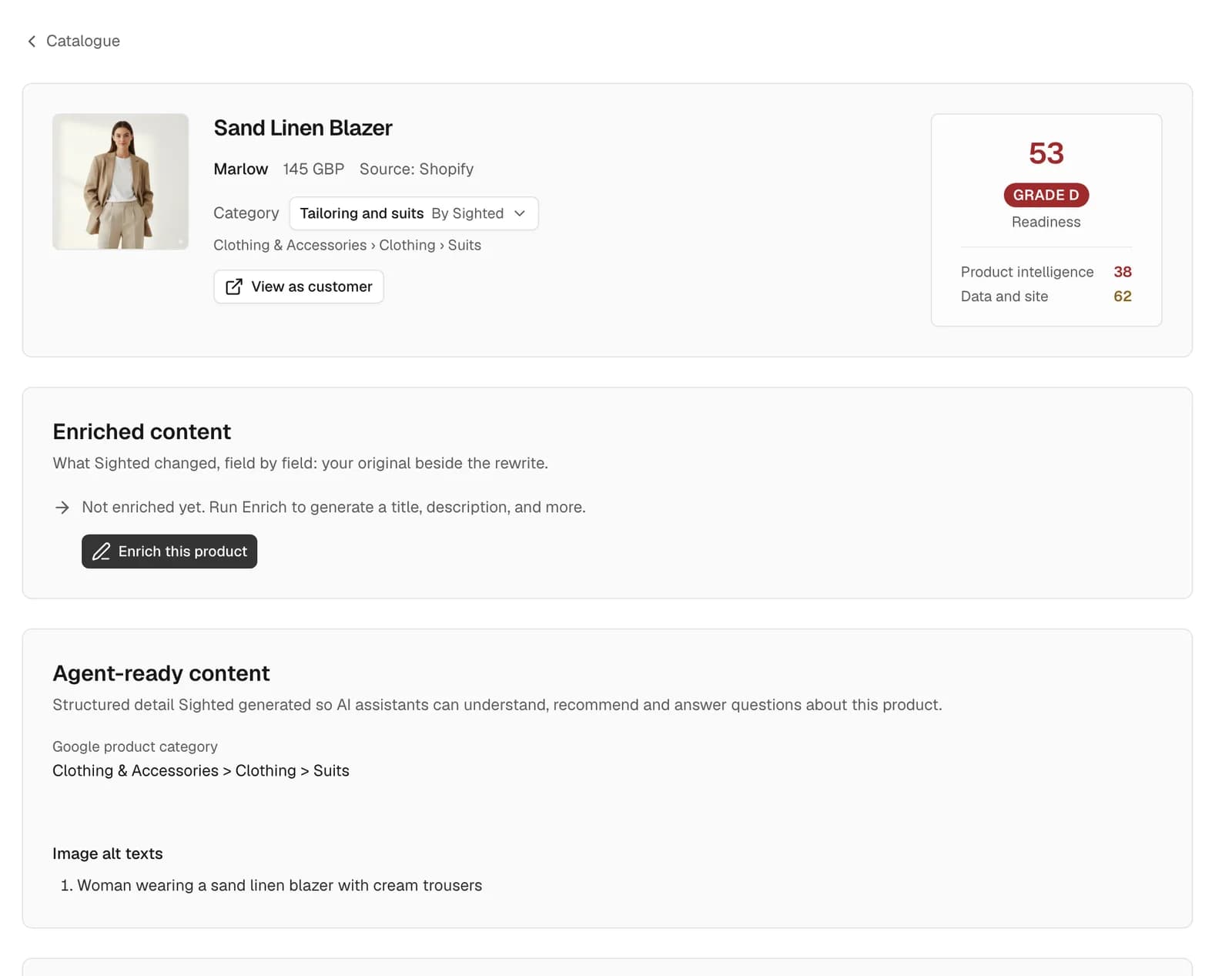
Check the casserole before its listing changes and that first check becomes the baseline. After enrichment and publishing, run the check again and Sighted sets the first check beside the latest. Each checked product shows where it stands: checked before enrichment, enriched but unpublished, or published. Store-wide checks run on a schedule; a product check runs when you start it, so you can ask again when a change goes live.
What visits and sales follow a recommendation?
Sighted's Results page shows the answers from your checks over time beside your traffic and sales.
- From Google Analytics: sessions, AI-referred sessions, purchases and conversion rate.
- From Search Console: clicks and impressions.
- From your Shopify store: AI-referred orders, and sales by product.
For the cookshop, suppose the casserole starts to be recommended at the cookshop, with a link to its product page. The same page then shows whether AI-referred sessions rose in that period and whether the casserole appears among the AI-referred orders. The guide to measuring AI shopping performance explains how visits from assistants are identified.
What should you do when a product is missing from an answer?
Start with the product's own information. The induction question passed the casserole over. Suppose its listing is titled “Round Casserole, Orange” and the line saying it suits induction hobs sits at the end of the description, in no attribute. Sighted scores and grades every imported product and counts its issues, which shows where the gaps are.
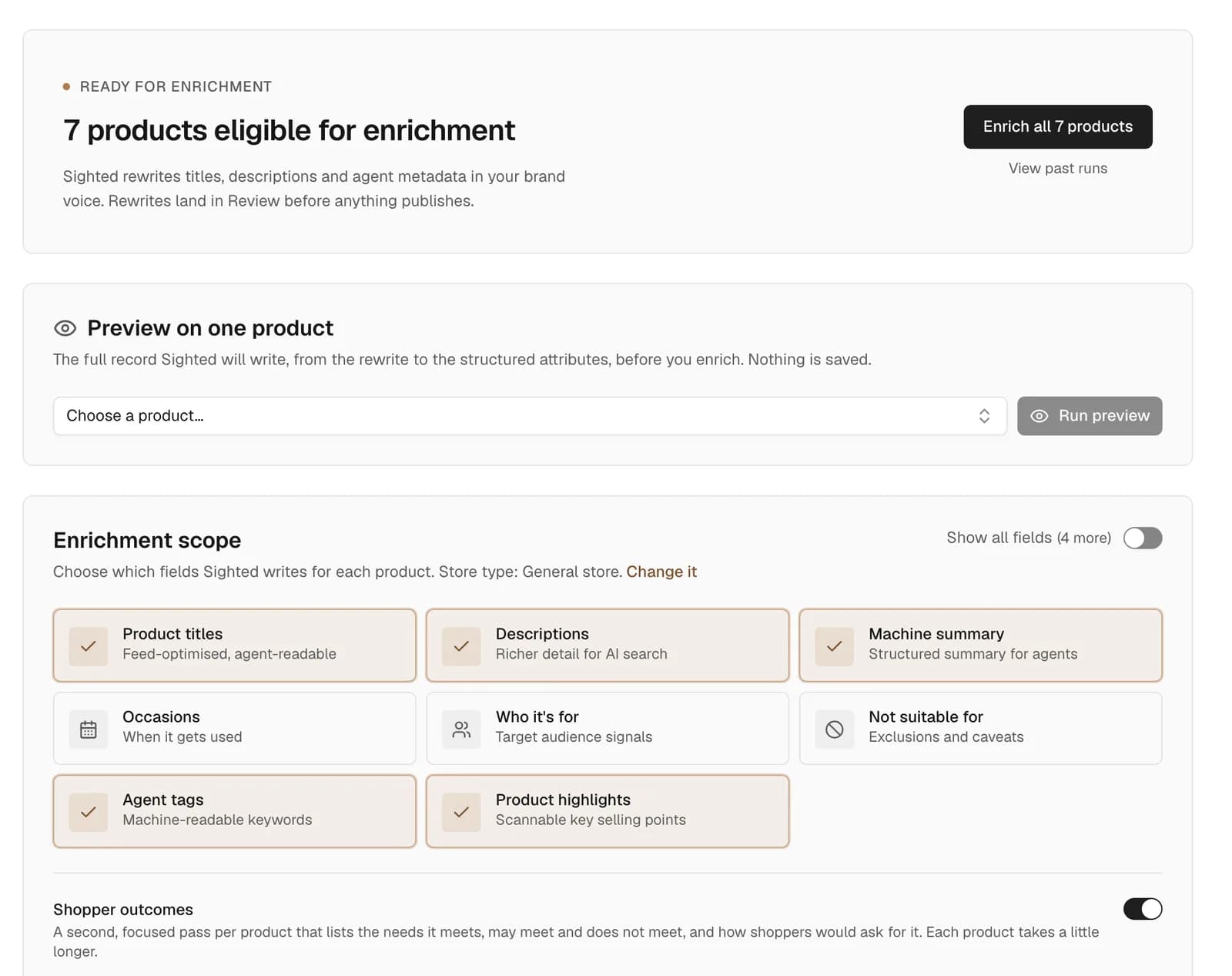
Sighted then enriches the product from your own information: attributes, title, description and FAQs, held for your approval. Approved changes are published to your Shopify store, and feeds for Google Shopping and AI agents are built from the approved record. The same questions are asked again, and the new answers sit beside the baseline.
Onboard Sportswear: AI citation coverage from 0% to 33% of tested responses
For Onboard Sportswear, duplicate URLs were consolidated, the site's first sitemap was submitted, indexing gaps were addressed and products were enriched. Across that combined work, AI citation coverage went from 0% to 33% of tested responses, and organic clicks rose 59%.
It shows why a baseline matters: coverage is a share of tested responses, and the 33% is read against the 0% before it. Run your first check before the work begins.
How to start tracking AI shopping visibility
Start with Sighted's free scan. It reads your robots.txt file and as many as 50 of your product pages, then reports which pages assistants can reach and which product details are absent. The scan looks at your pages; tracking the assistants' answers begins at step 3.
- Choose five products that matter commercially: bestsellers, high-margin lines and products other stockists also sell.
- Write two questions for each, one naming the product and one describing the shopper's need, in the words your customers use.
- Bring your catalogue into Sighted by connecting a Shopify store, or uploading a product file (CSV) or a link to a Google Shopping feed, approve the question set, and run the first check before changing anything.
- Enrich and publish the products the answers left out.
- Check again, and review the answers, visits and sales together.
The free scan shows what assistants can reach and which product details are missing; tracking their answers comes next.