

Get BigCommerce products recommended by AI shopping assistants
Your BigCommerce store stocks a two-person tent that weighs 1.8kg, mentioned once, halfway down its description. A shopper asks Perplexity for a lightweight two-person tent under 2kg, and the tent is hard to match. Sighted checks whether AI assistants recommend each product, finds what the catalogue leaves out, writes it from your own product information for your approval, publishes feeds for Google Shopping and AI agents, and reports the visibility, visits and sales that follow.
Why can a BigCommerce product fit a request and still be missed?
Shoppers put several requirements into one request. “Lightweight two-person tent for wild camping, under 2kg” names a capacity, a use and a weight limit. A tent called “Trail Tent”, with its weight in the fourth paragraph of the description, can meet all three and still be hard to match.
BigCommerce's own guide to ChatGPT, Google AI Mode and Perplexity asks for complete attributes on every product and a monthly run of your category's top buying prompts, as of November 2026. You can make a first run today with two kinds of question for each product.
| Kind of question | Example | What the answer shows |
|---|---|---|
| Names the product | The tent's brand and model, then “where can I buy it in the UK?” | Whether your store is named and gets the link |
| Describes the need | “Lightweight two-person tent for wild camping, under 2kg” | Whether the tent is considered before the shopper has a brand in mind |
Which details are missing from your BigCommerce catalogue?
Sighted does not connect to BigCommerce directly, so your products come in as a product file (CSV) or a link to a Google Shopping feed in CSV form, then you or your developer map the enriched details into BigCommerce's own import. A row needs a product id and the product's name; the page address, image and price are worth adding, because the scores and feeds use them.
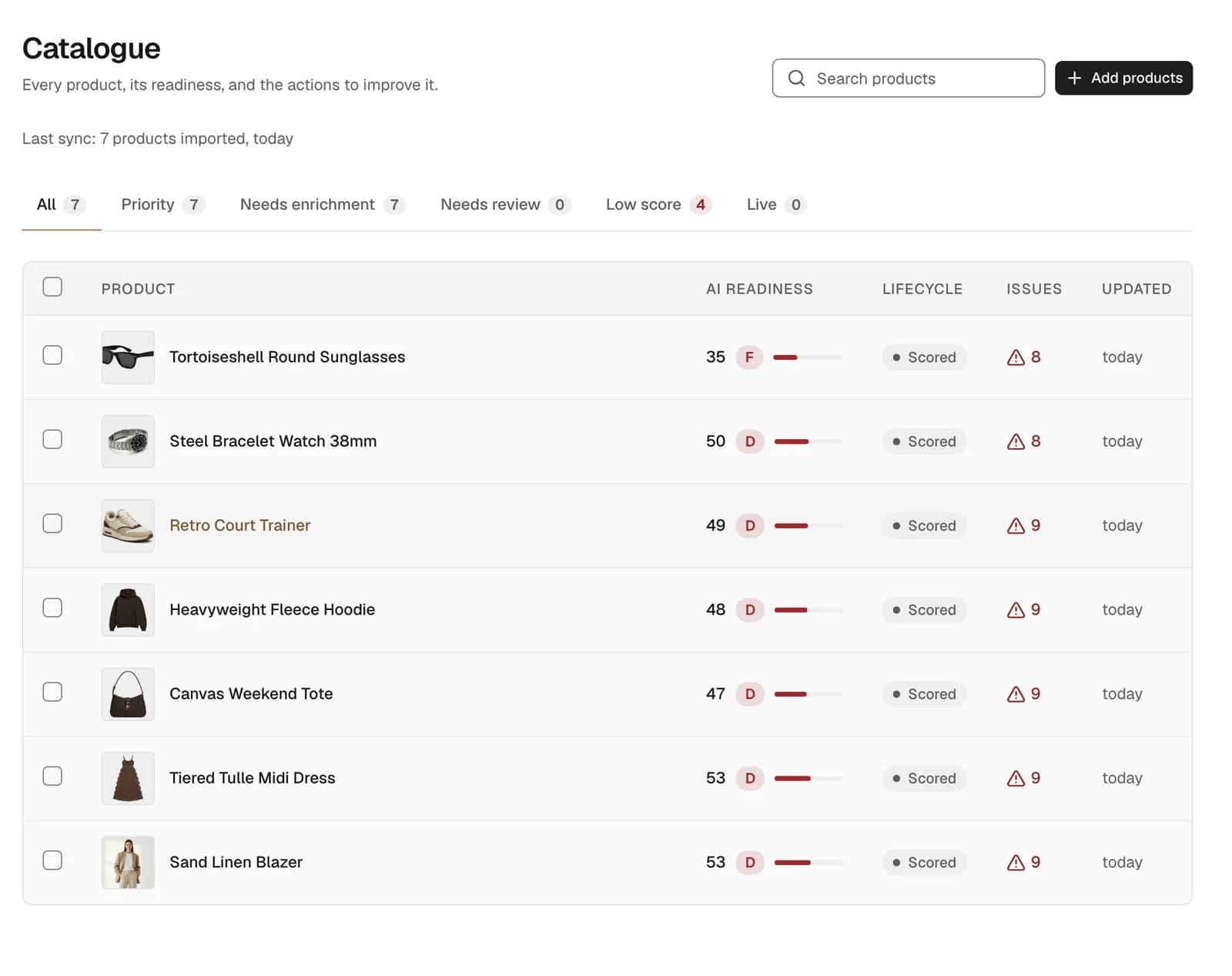
Once the catalogue is in, each product carries an AI readiness score, a grade and its number of issues. The list shows where to start: products like the tent, whose capacity and packed weight appear in the description and in no title or field.
How does Sighted write the missing details?
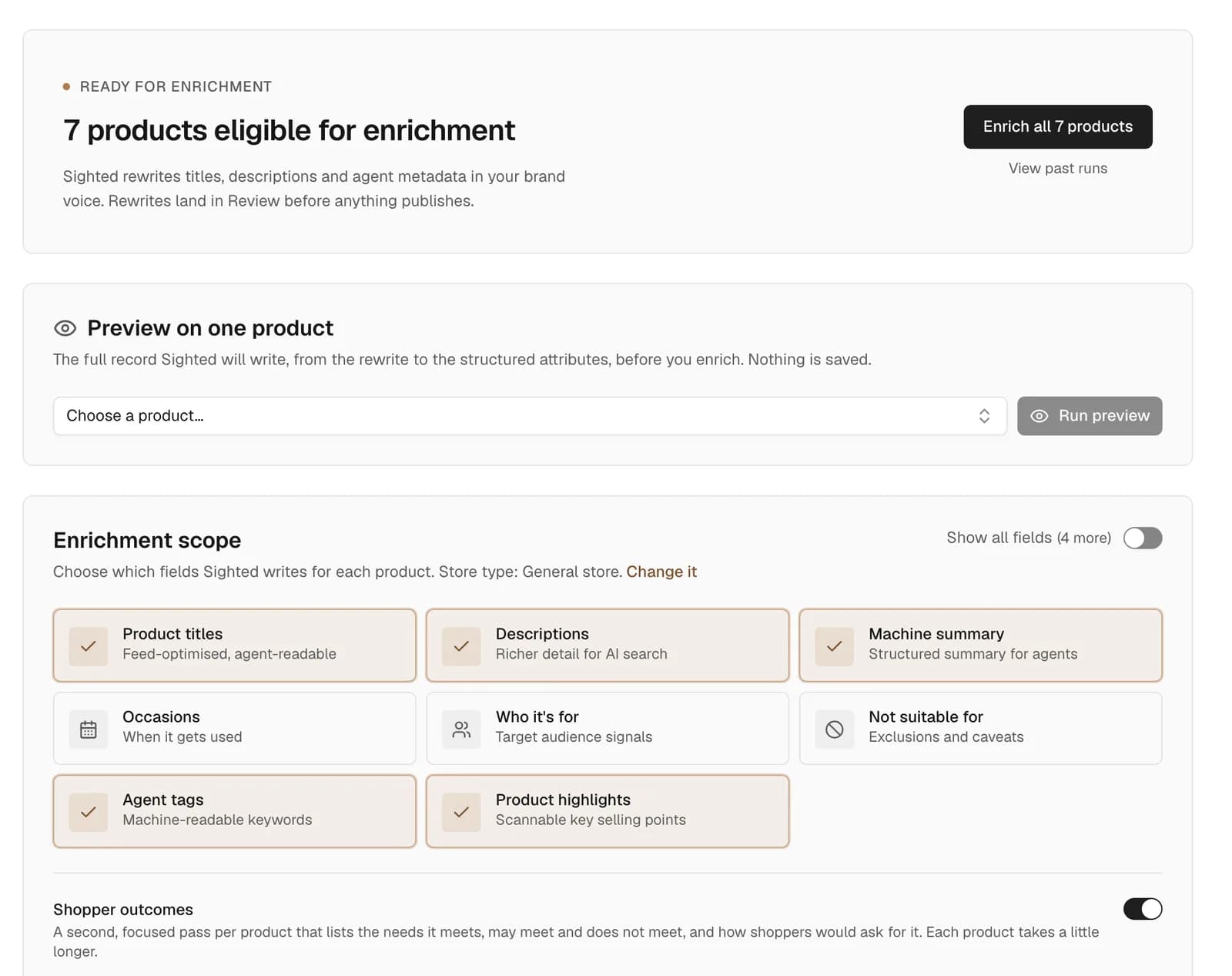
Sighted assigns each product a category of its own, then writes the details that kind of product needs, using your own product information. For the tent that could be a title that says two-person and 1.8kg, specifications giving the packed weight and pack size, and an FAQ on whether it suits wild camping, if your description says so.
By default, rewrites land in Review before anything publishes. You approve, edit or reject them one at a time or in bulk, and anything Sighted cannot verify from your information waits for your decision.
How do approved details get back into BigCommerce?
Approved titles, descriptions, product details and question-and-answer pairs are published as feeds for Google Shopping and AI agents. Alongside the feeds you get a file of your enriched product details, carrying your own product ids and each product's review status.
BigCommerce's custom fields show additional product information on the storefront product page and can be created and updated by CSV import, as of November 2026. You or your developer map the file into that import, so the tent's product page can state its capacity and packed weight in fields of their own.
How do you measure recommendations, visits and sales?
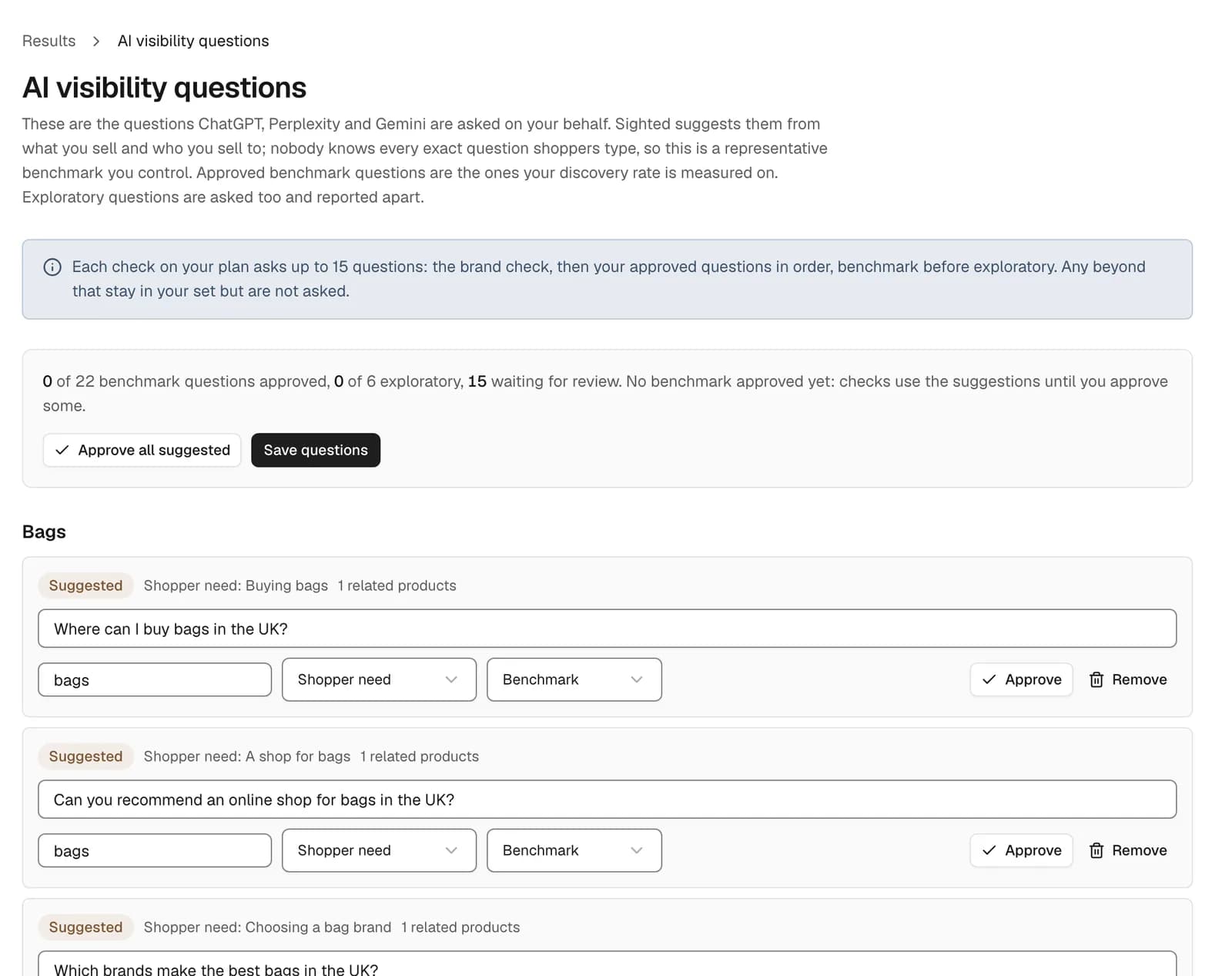
Sighted asks ChatGPT, Perplexity and Gemini your shoppers' questions and records, for each answer, whether the product was identified, whether it was recommended, whether your store was named and whether the link went to your product page. You edit and approve the store-wide questions, and a product can be checked before and after enrichment, so the tent's answers can be compared.
For visits and sales, connect Google Analytics and Search Console, which work with any store. The Results page then shows sessions, visits referred by AI assistants, purchases and conversion rate, with clicks and impressions from search. Compare the same weeks for price changes, stock and promotions before drawing a conclusion.
How to start with your BigCommerce store
The first step costs nothing: run Sighted's free scan on your store's address to see what AI assistants can reach on up to 50 product pages and which product details are missing.
- Run the free scan and list the details missing from your best-selling category.
- Ask ChatGPT, Perplexity and Gemini one question that names the product and one that describes the need, for five products.
- Import a product file with a product id and name on each row, or a link to a Google Shopping feed in CSV form.
- Check visibility before enrichment, so you have a first set of answers to compare with.
- Enrich the products with the lowest scores and approve what is right in Review.
- Submit the Google Shopping feed in Merchant Center and have the file of enriched details mapped into BigCommerce's import.
- Connect Google Analytics and Search Console, then review recommendations, visits and sales together.
See what AI assistants can reach on your BigCommerce product pages, and which details they cannot find.