

AI shopping visibility for headless and custom stores
On a headless or custom-built store, your own pages and feeds tell AI assistants what you sell. If a shopper asks ChatGPT for a cabin-size weekend bag and your page never states the bag's size, it is hard to match. Sighted analyses visibility product by product, identifies catalogue gaps, enriches product information, optimises feeds for AI agents and Google Shopping, publishes to Shopify and supported channels, and measures subsequent visibility, traffic and sales.
Are AI assistants recommending your products?
Ask the assistants and read the answers. Sighted's visibility checks put your shoppers' questions to ChatGPT, Perplexity and Gemini. For each answer they record whether it identified the product, recommended it, named your store and linked your site or the exact product page. The checks run for any store with products in Sighted, whatever it is built on.
A product check asks two kinds of question. One names the bag, as a shopper who has already seen it would. The other describes the need and names nothing: “a canvas weekend bag I can take as cabin luggage, under £120”. The first tells you whether assistants send that shopper to your store. The second tells you whether the bag is considered at all.
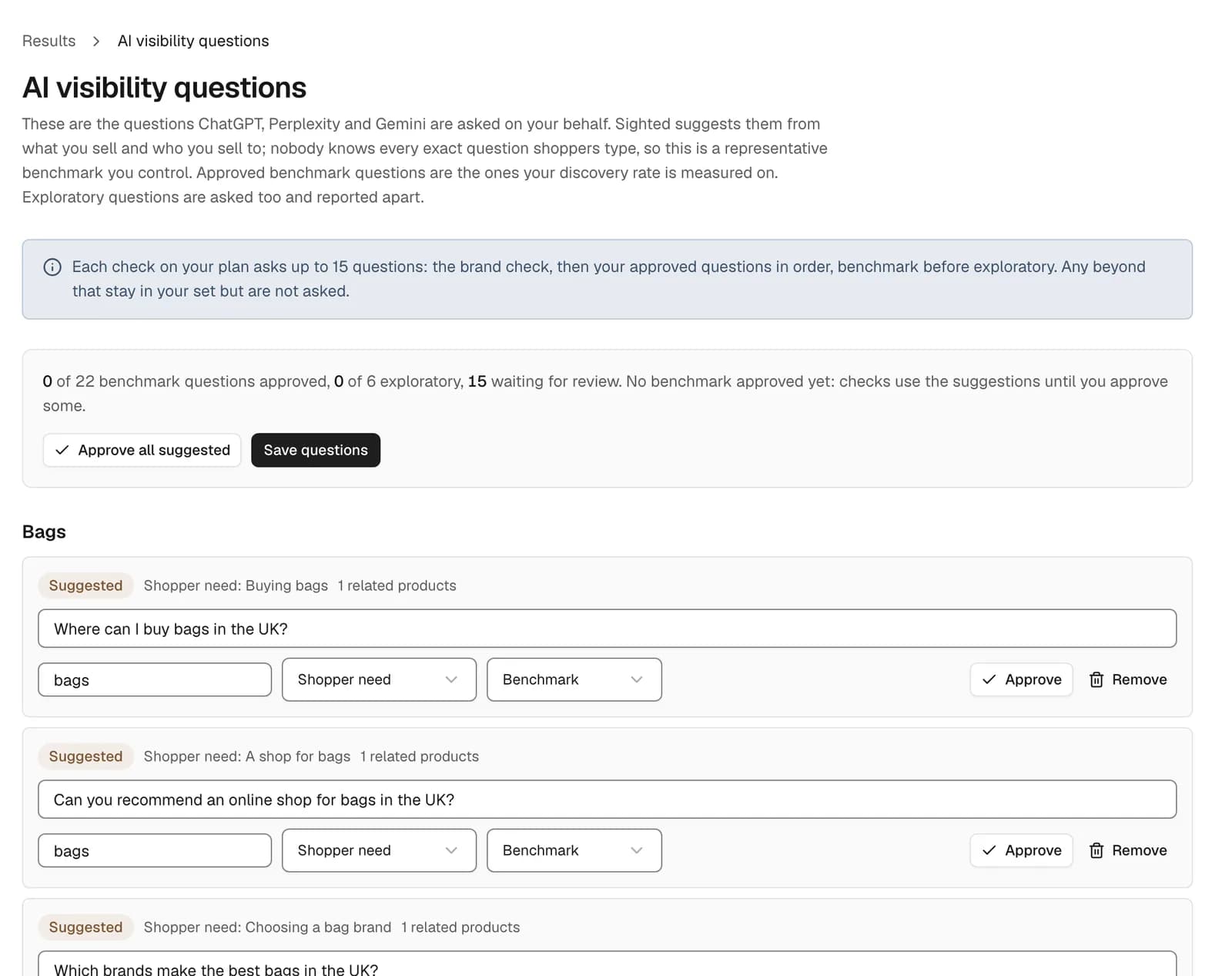
You choose the questions. Sighted suggests them from your catalogue, and you edit, add, remove and approve them. A product can be checked before its details are improved and again afterwards. The first check is compared with the latest, so you can see what changed in the answers about the bag.
Can AI crawlers read a page that is rendered in the browser?
A headless storefront can build the product page in the shopper's browser with JavaScript, and whether a crawler sees that page depends on the crawler. Google's documentation, read on 9 November 2026, says Google renders JavaScript after crawling a page. It still recommends rendering on the server, because “not all bots can run JavaScript”.
OpenAI's crawler page and Perplexity's, read the same day, do not say whether their crawlers run JavaScript. A study by Vercel and MERJ, published on 17 December 2024, measured crawler traffic on Vercel's network, nextjs.org and two job sites, and found that OpenAI's and Perplexity's crawlers did not run it. That is one study of those sites at that time. It does not establish what the crawlers do today.
The practical answer is the same either way. Send the price, the stock status, the description and the details shoppers ask about, the bag's dimensions included, in the page your server first returns. To test it, switch JavaScript off in your browser and reload a product page: what is left is what a crawler that skips scripts receives.
What is missing from your product information?
Start with what a crawler can reach. Sighted's free scan takes your store's address, reads robots.txt and up to 50 product pages, and shows which AI crawlers you let in and which product details the pages leave out. It reads each page without running JavaScript, so a detail that only appears after scripts run shows up as missing.
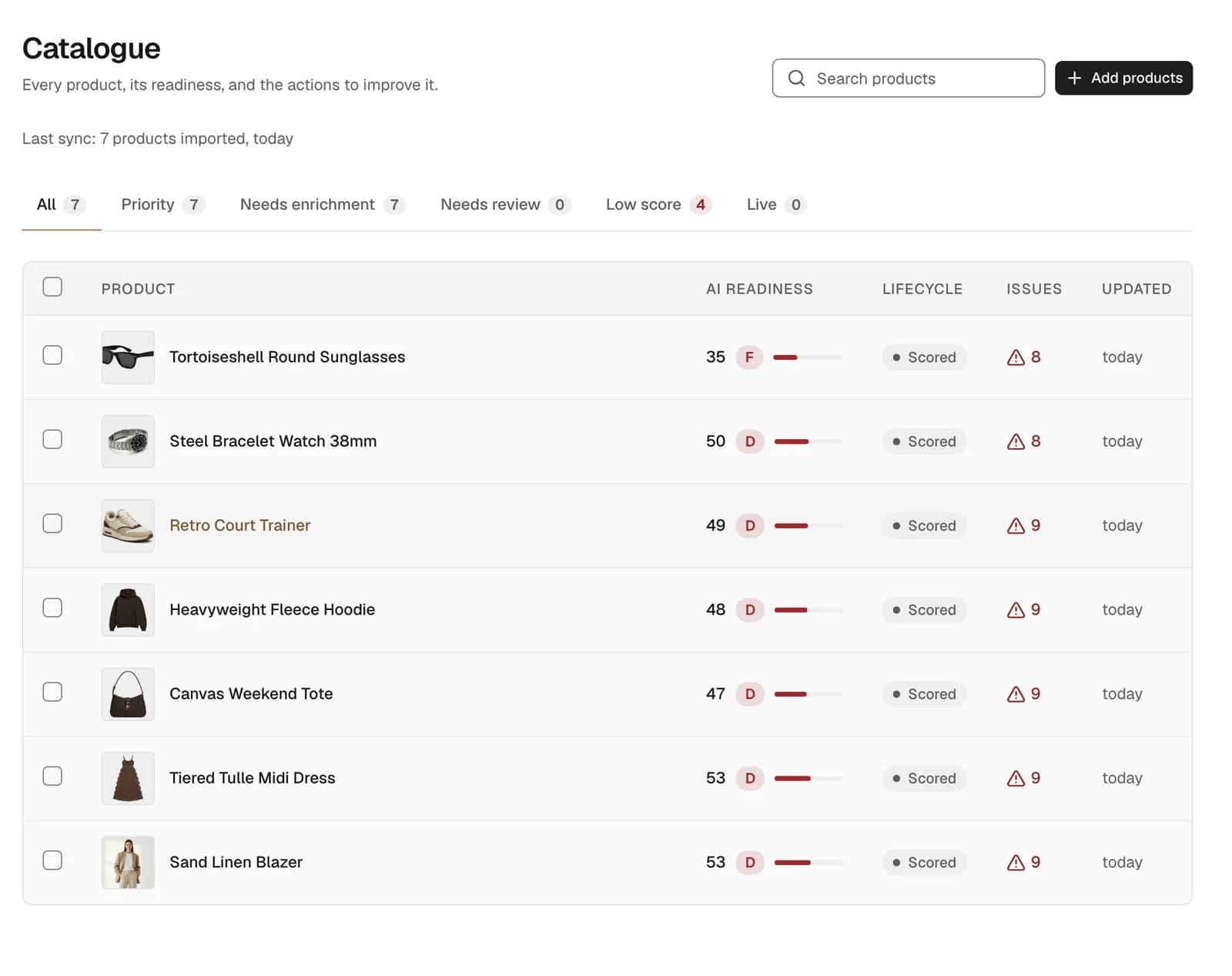
Then give Sighted your catalogue: a product file (CSV) exported from your own system, a public Google Sheet or a link to a Google Shopping feed in CSV form. Every imported product is scored and graded, with its issues counted. A bag listed as “Weekend Tote, £95” with two lines about its colour leaves out what the cabin-luggage shopper asked about: its dimensions and its capacity.
How does Sighted work with a headless or custom store?
Sighted writes the missing details from your own product information: the product file, your live product pages and, for what a photo plainly shows, your photos. If the bag's description mentions “45 x 30 x 20 cm” in passing, that becomes a stated dimension in the product's details and an answer to a shopper's question about its size. If the size is nowhere in your information, Sighted does not guess it.
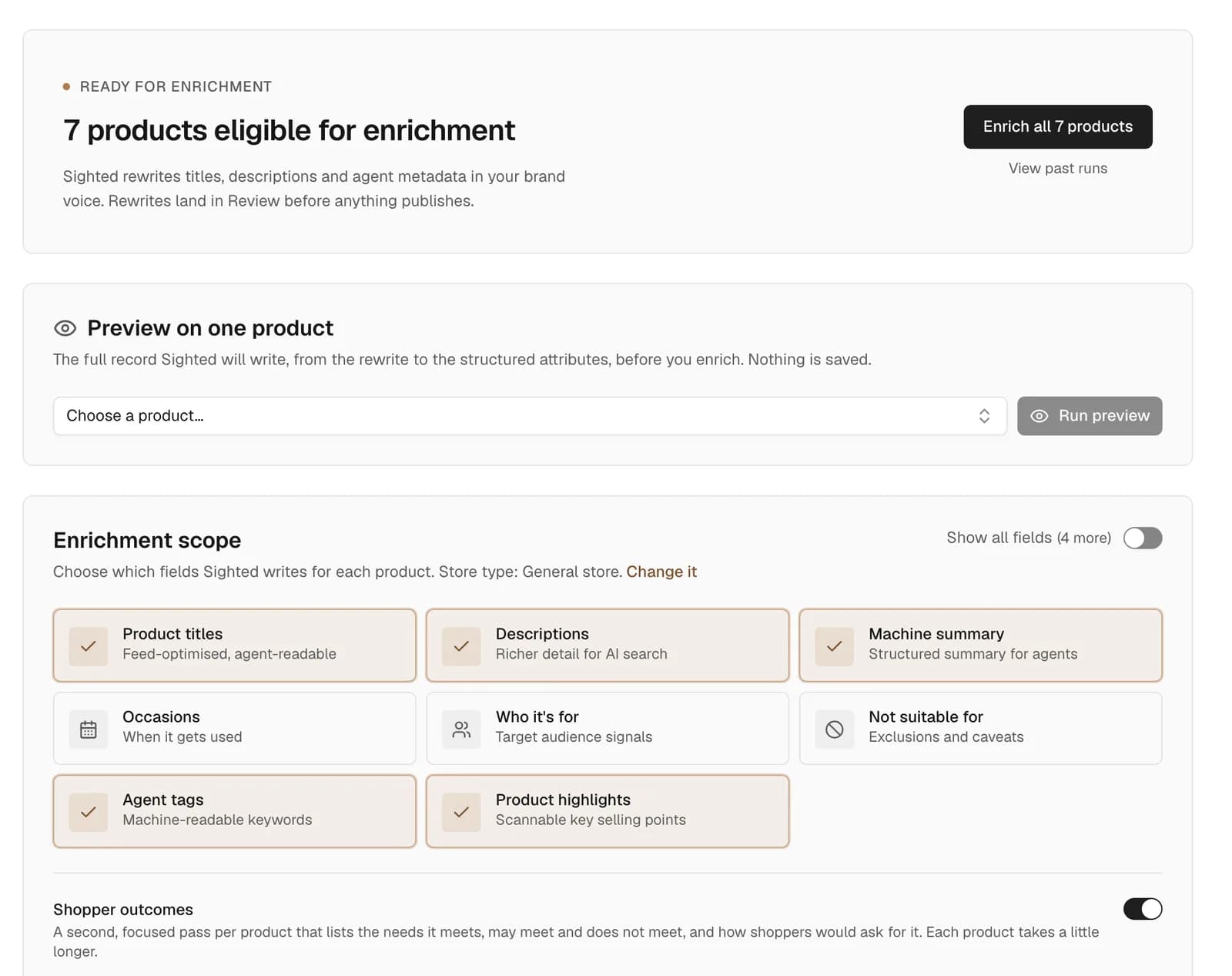
By default, every rewrite waits in Review until you approve, edit or reject it. A measurement Sighted cannot verify from your information is held separately, for you to keep or drop.
The results leave Sighted in three forms: feeds for Google Shopping and AI agents, structured data for each product page, and a file of your enriched product details, with your own product ids and each product's review status. Sighted has no write API for a custom stack: your team maps that file into your own system, or reads the approved details from the feeds. Your developer adds the structured data on the server, so it is in the page a crawler first receives.
What will you see in visits and sales?
Sighted's Results page puts the checks beside your own traffic and sales figures. Google Analytics and Search Console connect through your Google account, whatever your store is built on.
| What you want to know | What Sighted shows | Where it comes from |
|---|---|---|
| Do assistants recommend the bag? | Whether each answer identified it, recommended it, named your store and linked its page, check by check | Sighted's visibility checks |
| Do shoppers arrive from assistants? | Sessions referred by AI assistants, beside your other channels | Google Analytics |
| Do shoppers find the bag in search? | Clicks, impressions and top search queries for the product's page | Search Console |
| Do they buy? | Purchases and conversion rate | Google Analytics |
Review the figures over time, with price, stock and promotions in view, because they move the same numbers. For the weekend bag, the sequence to look for is a stated size on the page and in the feed, then answers that link its page, then more visits landing on it.
How to start
Start with the free scan. It needs no account and changes nothing on your store.
- Run the free scan on your store's address. Read which AI crawlers robots.txt lets in and which details your product pages leave out.
- Switch JavaScript off in a browser and reload a product page. Check that the price, the description and the product details are still there.
- Export your catalogue as a product file (CSV) and import it into Sighted.
- Approve your shopper questions and check your key products before you enrich them.
- Open the lowest-scoring products, enrich them, and approve what is right.
- Add the Google Shopping feed to Google Merchant Center, have your developer add the structured data on the server, and map the file of enriched product details into your own system.
- Connect Google Analytics and Search Console.
- Import the file again when your catalogue changes.
See what a crawler receives from your product pages, and which details are missing.