

How to get WooCommerce products recommended in ChatGPT
A shopper asks ChatGPT for a wooden balance bike for a two-year-old with a low seat. Your WooCommerce store sells one, but the seat height is buried in the description, so the bike is hard to match to the request. Sighted analyses visibility product by product, identifies the gaps in your catalogue, enriches product information, optimises feeds for AI agents and Google Shopping, publishes them, and measures the visibility, traffic and sales that follow.
Are AI assistants recommending your WooCommerce products?
You can test this today. Take a product you want to sell more of and write the questions a shopper would ask before buying it. For the balance bike: “best wooden balance bike for a two-year-old” and “where can I buy a balance bike with a 28cm seat in the UK?”. Ask ChatGPT, Perplexity and Gemini, and note four things in each answer.
| What to note | What it tells you |
|---|---|
| Is the product identified? | The assistant knows the bike and can describe it |
| Is it recommended? | The assistant put the bike forward for that request |
| Is your store named? | The shopper is told where to buy it |
| Does the link go to your product page? | The visit arrives at your store, on the right product |
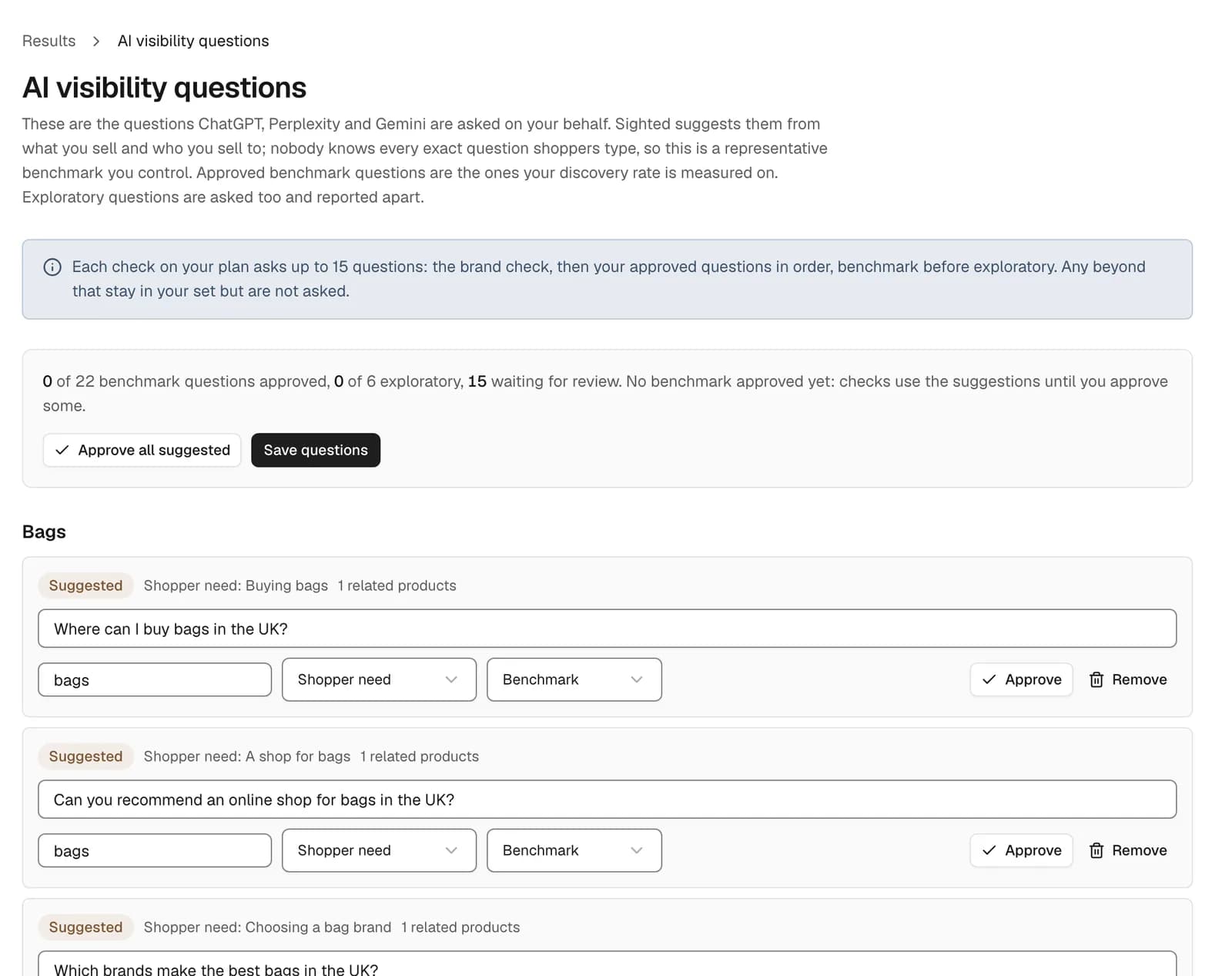
Sighted records the same four things for every answer, product by product and from your store's side: a bike recommended at another shop is recorded as named, but not at your store. Store-wide checks ask a set of shopper questions that Sighted suggests from your products and you edit, add to and approve. Product checks ask questions that name the product and questions that only describe the need, so you see whether your store gets the link and whether the bike is considered at all.
WooCommerce's agentic commerce page lists Google's Universal Commerce Protocol and Stripe's Agentic Commerce Protocol, two standards for AI-powered shopping, as coming soon, as of November 2026. The four checks above show what the assistants say about your products in the meantime.
What is missing from your product information?
Sighted does not connect to WooCommerce directly: you upload a product file (CSV) or paste a link to a Google Shopping feed in CSV form, and you or your developer map the enriched details into WooCommerce's own import. Each row needs a product id and the product's name; add the page address, image and price, which the scores and feeds use.
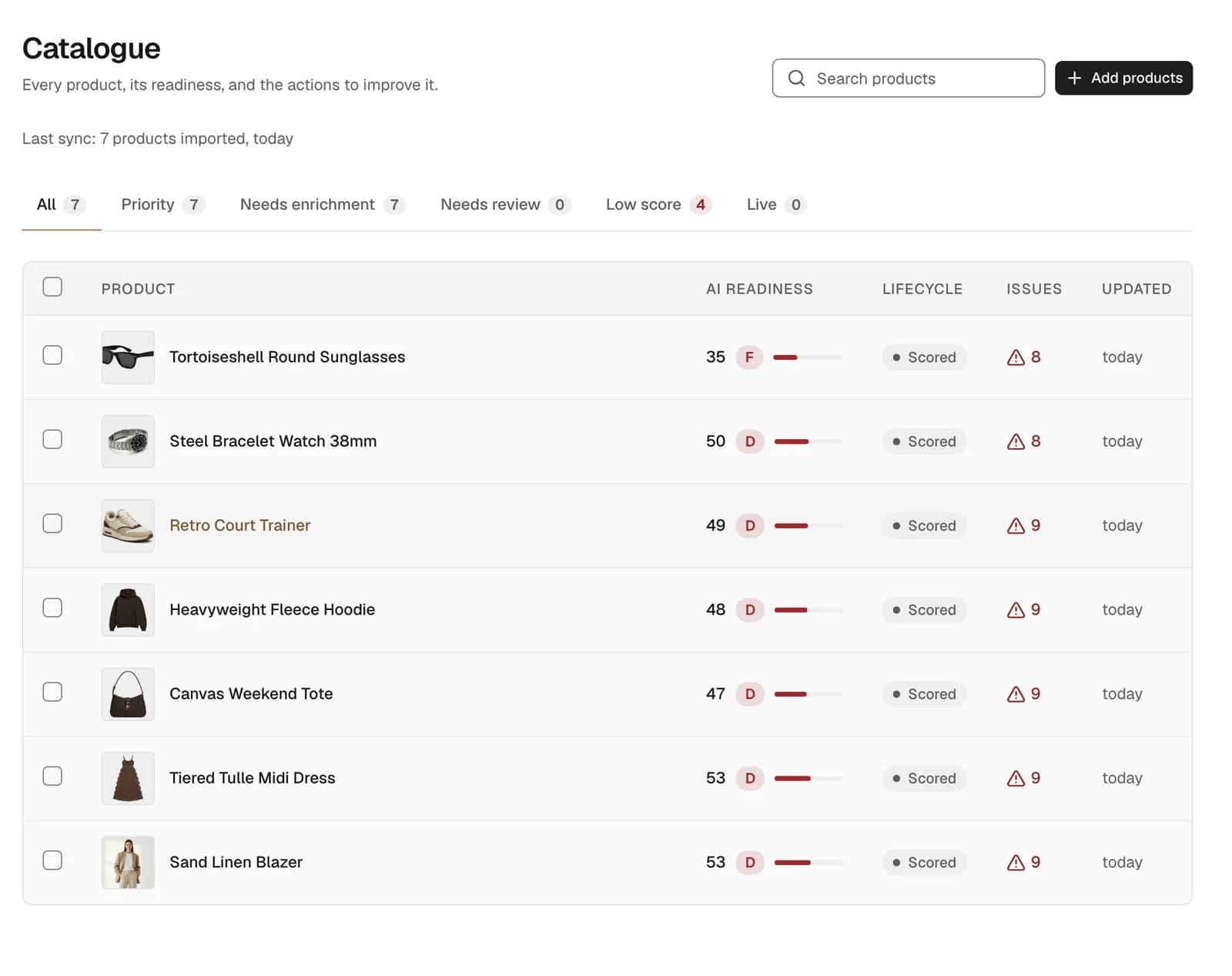
Every imported product is then scored and graded for AI readiness, with its issues counted, so you can see which products to work on first. Look for products like the balance bike: a short title, no age range in any field, and the seat height mentioned once in a paragraph about the frame.
How does Sighted fill the gaps?
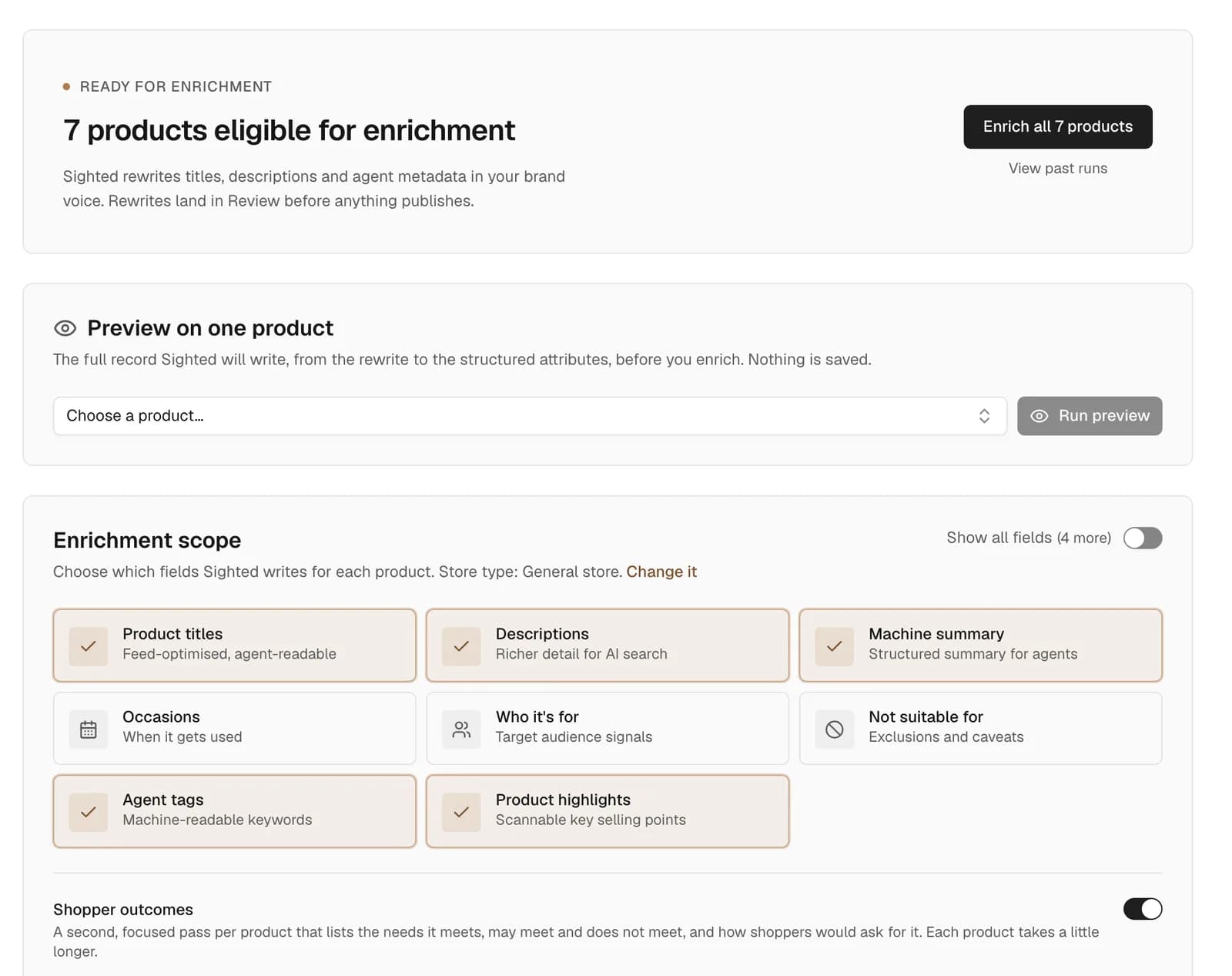
Sighted writes the missing details from your own product information, which means your file and your product pages. For the bike, that could mean a title with the age range, the 28cm seat height listed among its specifications, and an FAQ that answers “what age is it for?”. A detail stated nowhere, such as the rider weight limit, is never guessed: add it to your product information and Sighted can write it.
By default, nothing is published until you approve it: each rewrite waits in Review, where you approve, edit or reject it, and a claim Sighted cannot verify from your information is held for you to keep or drop.
Where do the approved details go?
Approved details go out as feeds for Google Shopping and AI agents, carrying the approved titles, descriptions, product details and question-and-answer pairs. You also get a file of your enriched product details, with your own product ids and each product's review status.
WooCommerce's built-in product importer updates existing products when rows match by ID or SKU, according to its documentation, as of November 2026. You or your developer map the file's columns to WooCommerce's fields in that importer, so the bike's product page can state the age range and seat height the feeds carry.
What will you see in visits and sales?
Run the visibility checks again after enrichment and compare each product's first check with its latest. For the balance bike, the question is whether ChatGPT, Perplexity and Gemini now identify it, recommend it and link your page when a shopper asks for a low seat.
Google Analytics and Search Console connect for any store. With both connected, Sighted's Results page shows sessions, AI-referred sessions, purchases and conversion rate beside clicks and impressions from search, so visibility, visits and sales sit in one report. Read any change in the bike's numbers against your prices, stock and promotions for the same period.
How to start with a WooCommerce store
Start with Sighted's free scan of your store's address. It reads your robots.txt and up to 50 product pages, and shows what AI assistants can reach and which product details are missing.
- Run the free scan and note which details it finds missing most.
- Choose ten products that matter to your sales and ask the assistants about them, using the four checks above.
- Upload your product file, or paste a link to a Google Shopping feed in CSV form, and review the scores and issue counts.
- Approve your shopper questions and run a first visibility check before you change anything.
- Enrich the products, then approve, edit or reject each rewrite in Review.
- Add the Google Shopping feed to Merchant Center and have the file of enriched details mapped into WooCommerce's importer.
- Connect Google Analytics and Search Console, repeat the checks, and compare visibility, visits and sales.
See what AI assistants can reach on your WooCommerce store and which product details are missing.